
Overview
Local Traces
Screenshots and action logs saved to your local filesystem
Platform GIF Upload
Animated GIF automatically uploaded to platform for easy viewing
How It Works
How it works:- When
record_trace=True(default), a GIF is created locally from screenshots- For platform tasks, the GIF is automatically uploaded to cloud storage
- Local GIF is always saved, even if upload fails
- Access control via API key - only you can view your traces
Local Trace Recording
Enable trace recording to save screenshots and action logs locally.Basic Usage
Custom Path
What Gets Saved
Local traces include:- trace.gif: An animated GIF showing the entire execution. It’s a compilation of screenshots taken after each agent step.
- steps.json: A compilation of the agent’s thoughts and reasoning during the run, along with timestamps.
Platform GIF Upload
When running platform tasks, traces are automatically uploaded to Minitap cloud storage for easy viewing in the web UI.Automatic Upload (Default)
Platform tasks upload GIF traces by default. You don’t need to specifyrecord_trace=True:
Disable Upload (Optional)
To disable cloud upload while keeping local GIF creation, setrecord_trace=False:
Manual Tasks
Manual tasks (usingManualTaskConfig) also support GIF upload:
Viewing Platform Traces
SDK Runs List
Navigate to SDK Runs to see all your task executions with GIF previews: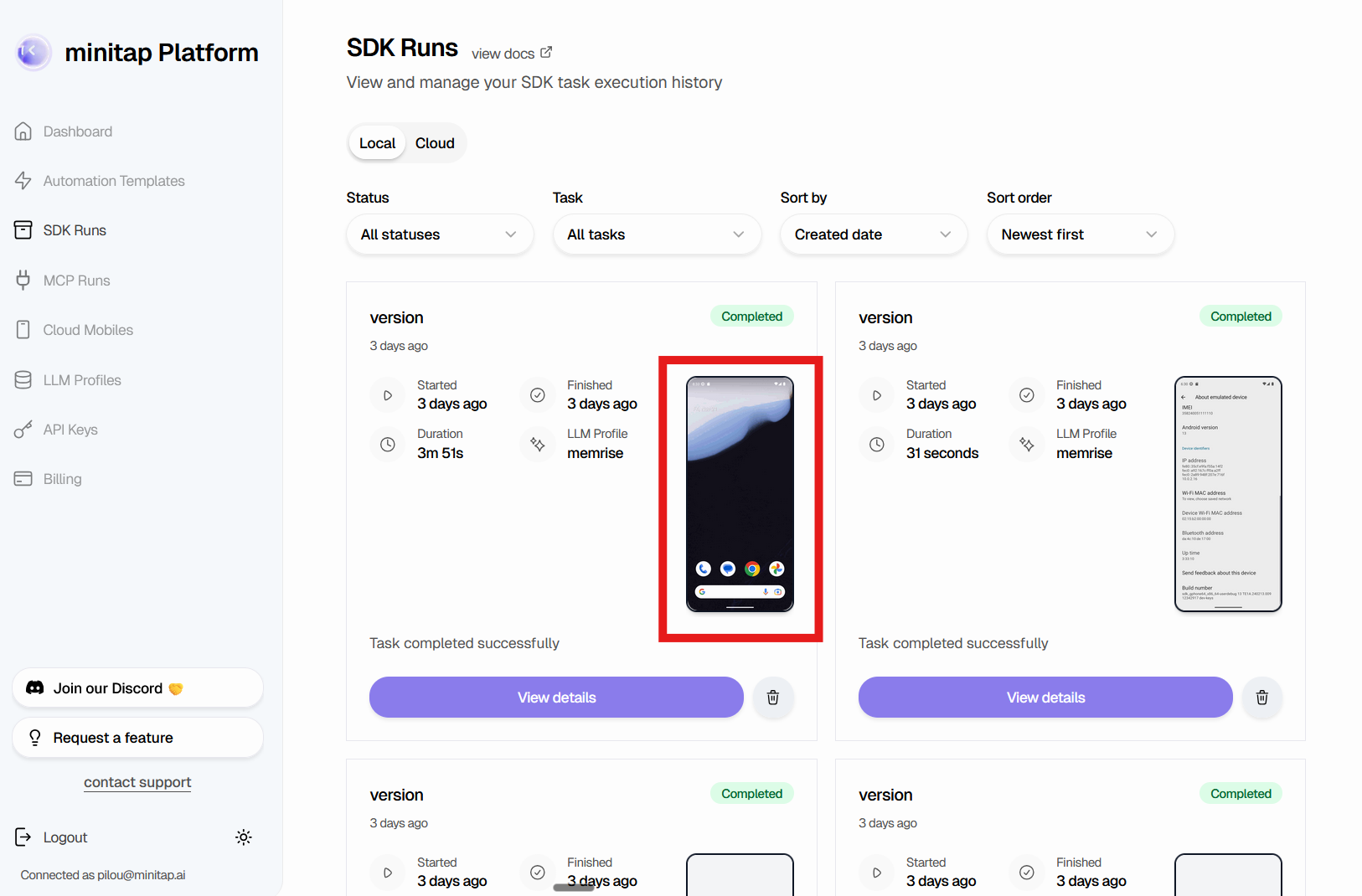
- Task status
- Execution duration
- LLM profile used
- GIF thumbnail preview
Task Run Details
Click “View details” to see the full execution trace: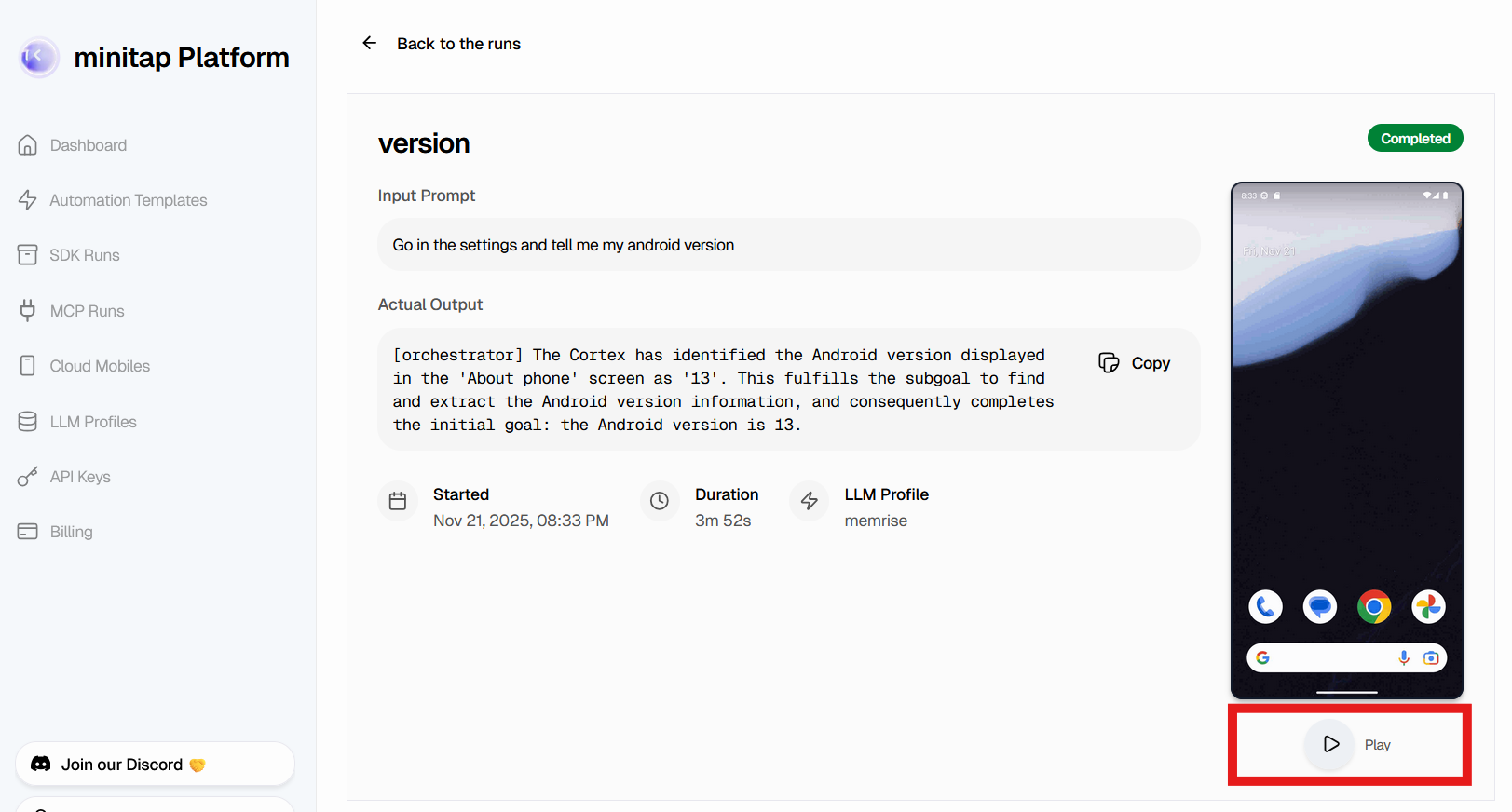
- Input prompt and output
- Playable GIF of the execution
- Start time and duration
- LLM profile configuration
- Agent thoughts and reasoning
Configuration Reference
PlatformTaskRequest Parameters
Controls GIF creation and upload. When
True (default), a GIF is created
locally and uploaded to the platform. Set to False to disable cloud upload
(local GIF still created).Local directory to save trace files. Defaults to system temporary directory.
Example
Console Output
Troubleshooting
Upload Failed
If the GIF upload fails, check:File Size Limit
File Size Limit
Maximum GIF size is 300MB. Very long-running tasks (+1h) may exceed this limit.
Reduce
max_steps in your task configuration or split into multiple shorter tasks.Verify Upload Success
Check the console output for the platform URL:Missing GIF on Platform
If the GIF doesn’t appear on the platform:- Check task status - GIF upload happens after task completes
- Verify record_trace=True - Default is true, but confirm it wasn’t disabled
- Check console for errors - Look for upload failure messages
- Refresh the page - Browser cache may show old data